Skip to content
Curated pet care & aquascaping essentials English catalogue · Prices in EUR
DaraSphere

USB Aquarium Sponge Filter with Ceramic Media – Fresh/Saltwater

Price range: €34.77 through €36.42

USB Aquarium Sponge Filter with Ceramic Media – Fresh/Saltwater — supports clearer water and a more manageable filtration routine. Use the product selector and the listed specifications to confirm the exact version. Review the fit and care guidance before adding it to your setup.

Useful for
SKU: CJTC2959884 Category:

Description

USB Aquarium Sponge Filter with Ceramic Media – Fresh/Saltwater supports clearer water and a more manageable filtration routine. This guide explains the practical details a shopper should check before choosing the product, including compatibility, setup, day-to-day care and the limits of the information shown on the listing.

Use the product selector and the listed specifications to confirm the exact version. The SKU CJTC2959884 is retained so the item can be compared accurately with the selected variation, packaging and supporting equipment. Product photographs help explain appearance, while the selector and specifications should guide the final decision.

Match the product to aquarium volume, flow needs, tubing, voltage and existing filtration before installation. A careful dry fit is useful before the item contacts aquarium water, an enclosure or a finished surface. This makes it easier to identify clearance, cable, tubing, stability or access issues early.

Water treatments and ozone devices must be used only according to their verified label or equipment instructions. The product is an accessory rather than a substitute for appropriate husbandry, water testing, filtration, supervision or manufacturer instructions. Choose the version that fits the actual space instead of relying on the main photo alone.

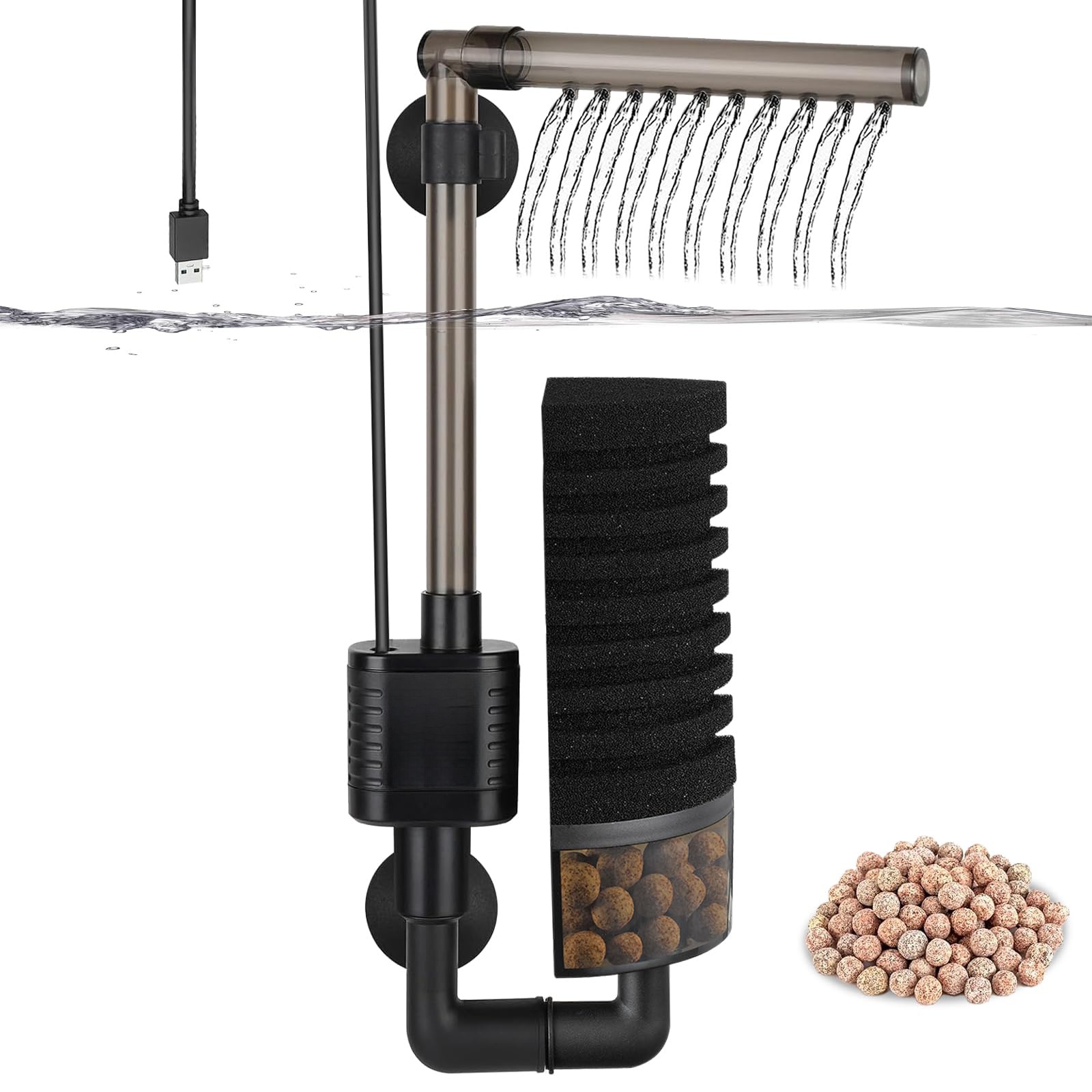
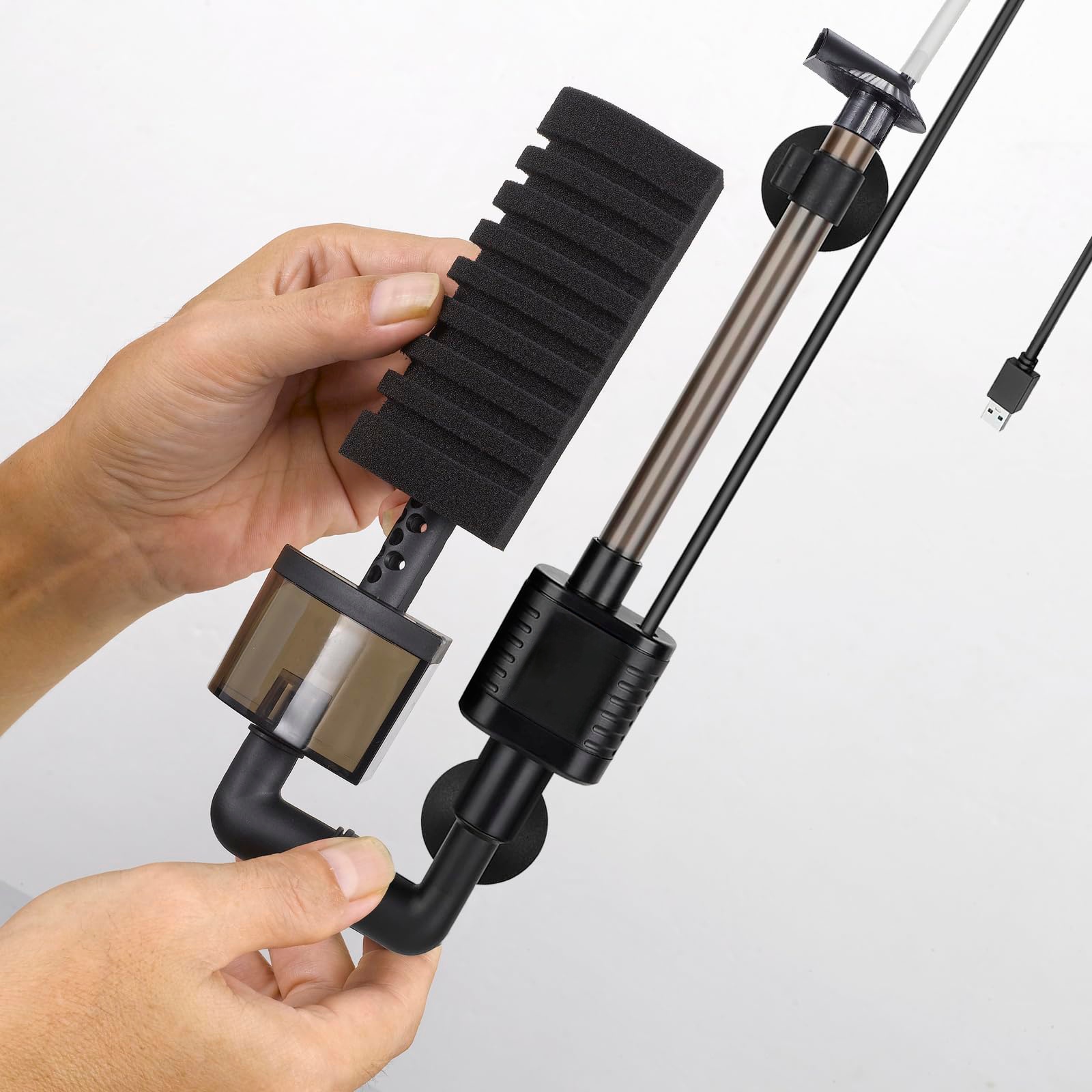
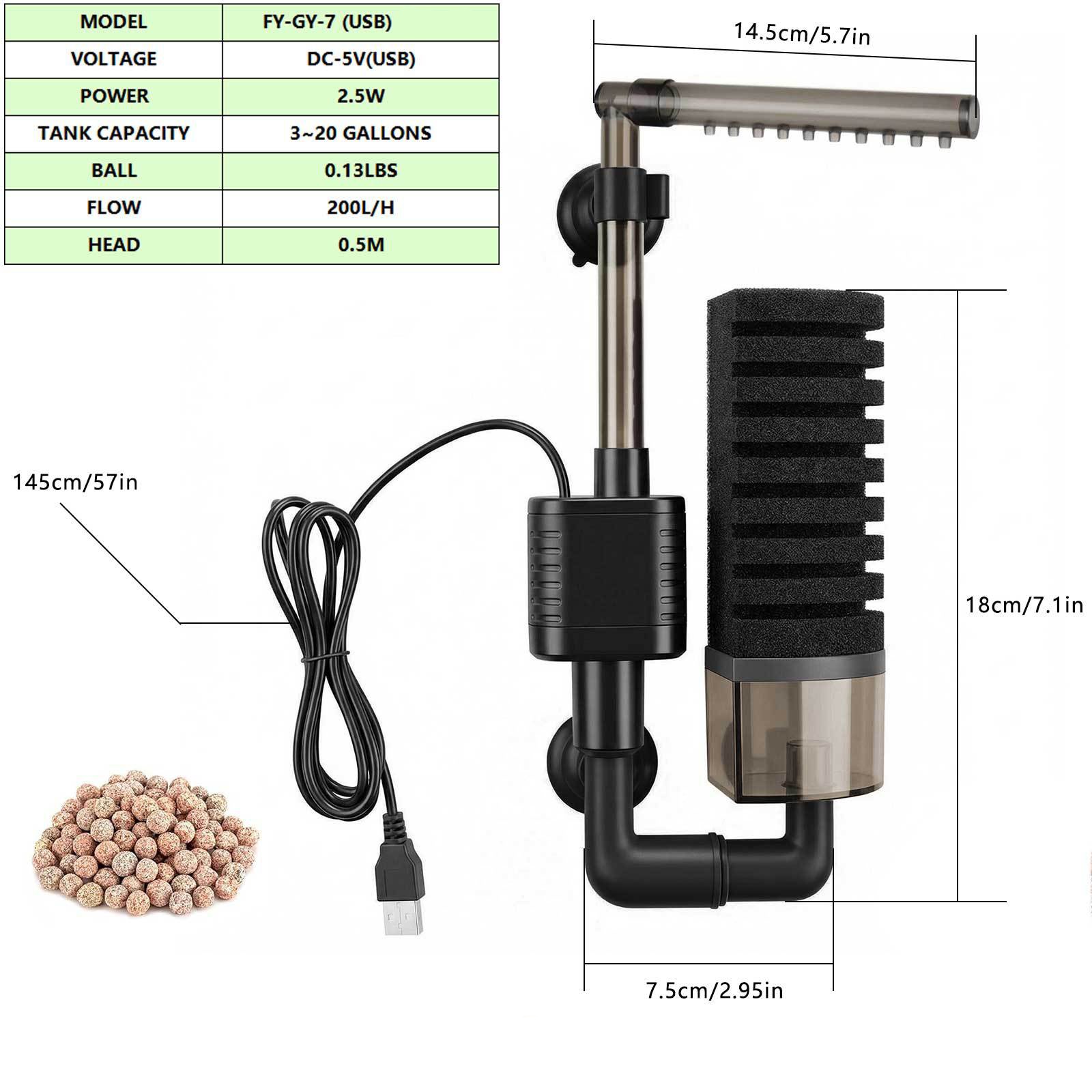
USB Aquarium Sponge Filter with Ceramic Media – Fresh/Saltwater – product view 1
USB Aquarium Sponge Filter with Ceramic Media – Fresh/Saltwater – view 1

Why choose USB Aquarium Sponge Filter with Ceramic Media – Fresh/Saltwater?

The main advantage of this product is that it supports clearer water and a more manageable filtration routine. A good purchase is not only about appearance: the selected size, option, material and supporting equipment must all work together. The verified facts below separate what is listed for this SKU from general setup advice.

Key features and practical benefits

  • Clear product identification under SKU CJTC2959884.
  • Use the product selector and the listed specifications to confirm the exact version.
  • Guidance for setup, care and compatibility is included on this page.
  • The description uses the product’s own verified listing details rather than invented performance claims.
  • Local product images include descriptive alt text, dimensions and efficient loading attributes.

Verified specifications

SKUCJTC2959884
Product typevariable
CategoryFiltration & Water Care
Listed weight0.34 kg
ColorSee selector
SizeSee selector
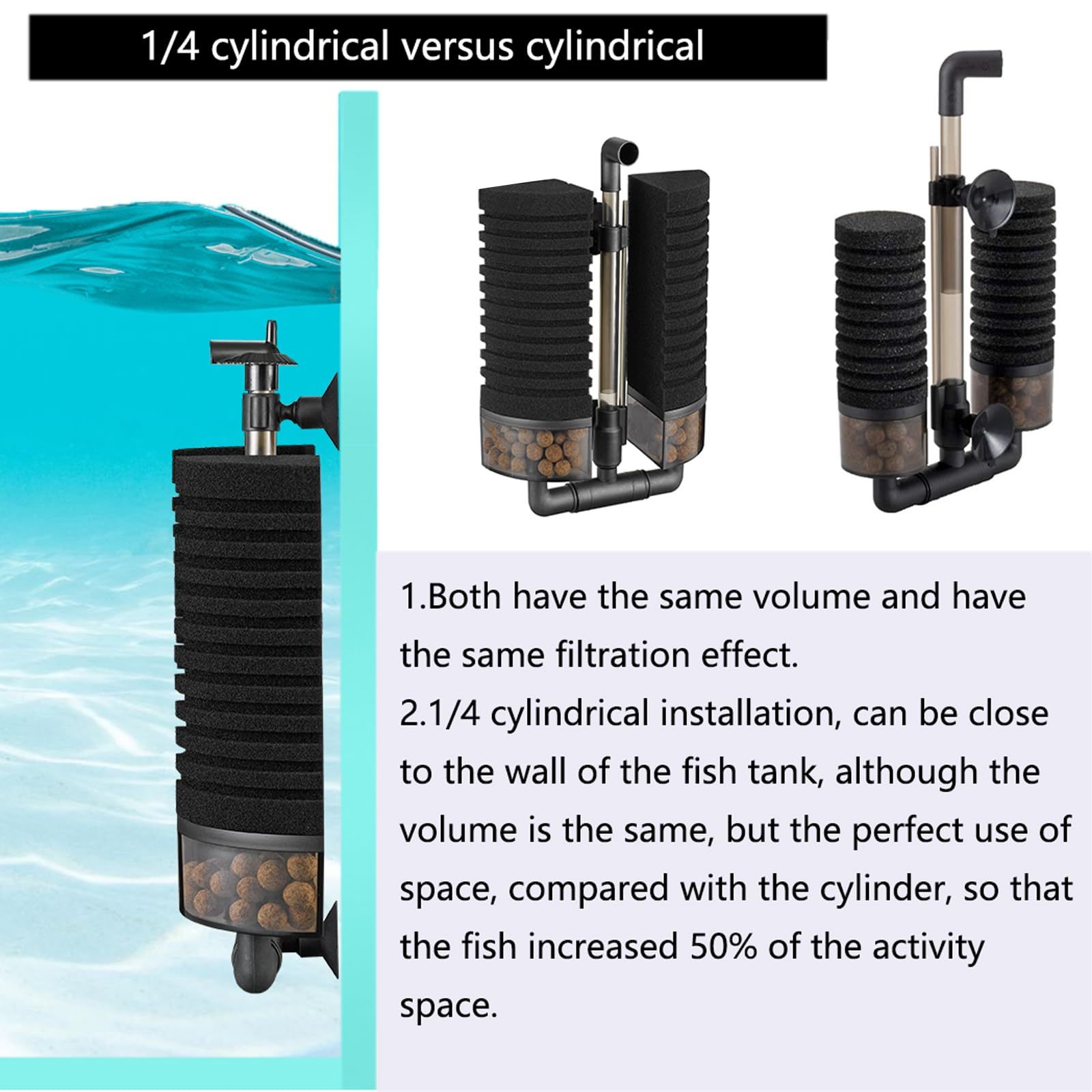
USB Aquarium Sponge Filter with Ceramic Media – Fresh/Saltwater – product view 2
USB Aquarium Sponge Filter with Ceramic Media – Fresh/Saltwater – view 2

How to select the right option

Start with the available space and the needs of the intended aquarium, animal, room or task. Compare the dimensions shown in the selector with the installation area, then confirm any option names, voltage, connector, capacity, quantity or material shown in the selector. If a required value is not listed, do not infer it from a photograph.

Setup and first use

  1. Inspect the product and confirm that the delivered option matches the order.
  2. Match the product to aquarium volume, flow needs, tubing, voltage and existing filtration before installation.
  3. Test stability, clearance and access before final placement.
  4. Introduce the product gradually and observe the system, surface or animal as applicable.
  5. Stop and adjust the setup if fit, flow, temperature, noise or behaviour appears unsuitable.
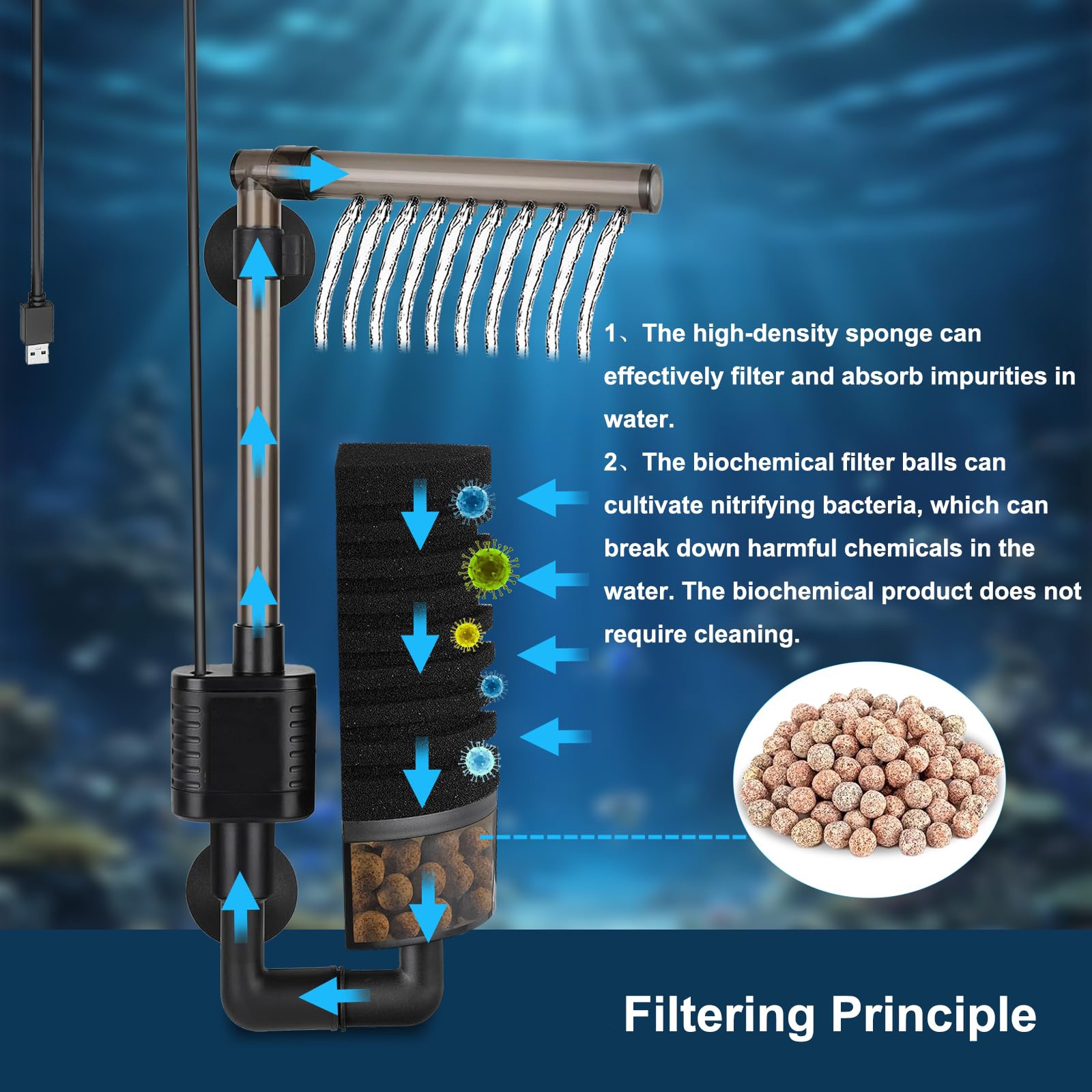
USB Aquarium Sponge Filter with Ceramic Media – Fresh/Saltwater – product view 3
USB Aquarium Sponge Filter with Ceramic Media – Fresh/Saltwater – view 3

Care and maintenance

Inspect flow and media regularly, clean with aquarium-safe water where appropriate and preserve beneficial bacteria. Create a simple inspection schedule based on how often the product is used. Replace worn tubing, media, suction cups, seals or other consumable parts when their condition changes. Never mix aquarium-dedicated tools with household detergents or fragranced cleaners.

Compatibility and safety notes

Water treatments and ozone devices must be used only according to their verified label or equipment instructions. For powered equipment, confirm the supplied voltage, plug and moisture protection before connection. For products used around livestock, check edges, openings and small parts, and allow enough space for natural movement. For treatments, follow only the verified product label and monitor water parameters.

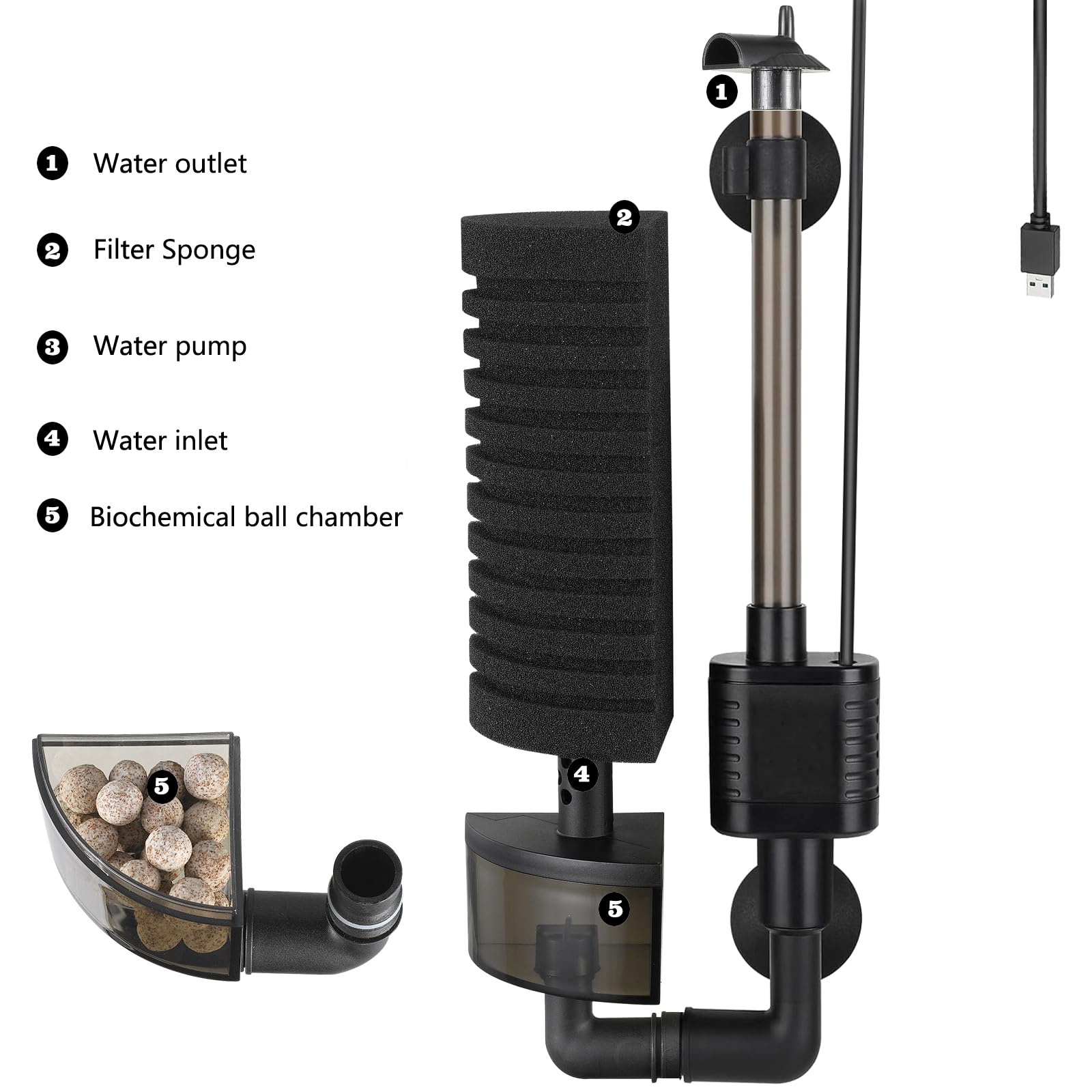
USB Aquarium Sponge Filter with Ceramic Media – Fresh/Saltwater – product view 4
USB Aquarium Sponge Filter with Ceramic Media – Fresh/Saltwater – view 4

What is included

The package is expected to contain the selected product version. Accessories, pumps, tubing, batteries, adapters, replacement media or decorative items should be treated as separate unless they are explicitly named in the selector or packing information. Keep the SKU and order details until the item has been checked.

Before you order

Review the selected variation, listed dimensions, material, quantity and supporting equipment. Consider how the product will be cleaned and accessed after installation. A few minutes spent checking these points reduces avoidable returns and produces a more reliable setup than choosing by appearance alone.

USB Aquarium Sponge Filter with Ceramic Media – Fresh/Saltwater – product view 5
USB Aquarium Sponge Filter with Ceramic Media – Fresh/Saltwater – view 5

Frequently asked questions

Which option should I choose?

Choose from the actual selector after measuring the available space and checking compatibility with the intended system or species. The main image may show more than one version.

Can it be used immediately?

Inspect and rinse non-electrical aquarium accessories with clean water where appropriate. Powered, chemical, heating or monitoring products require their own setup checks before use.

How should it be cleaned?

Use a method suitable for the listed material. Aquarium-contact items should be cleaned with water and dedicated tools rather than household soap, perfume or harsh chemicals.

Does the package include every item shown?

Only the selected version and explicitly listed package contents should be expected. Supporting equipment in lifestyle photographs may be shown for context.

What should I monitor after installation?

Check stability, access, water flow, temperature, sound, electrical safety and animal behaviour as relevant. Adjust the placement if the product interferes with normal operation or movement.

USB Aquarium Sponge Filter with Ceramic Media – Fresh/Saltwater – product view 6
USB Aquarium Sponge Filter with Ceramic Media – Fresh/Saltwater – view 6

Explore related products

Compare more aquascaping products, browse the complete Darasphere shop, or return to the Darasphere home page for more aquarium and pet-care options.

Additional information

Weight0.34 lbs
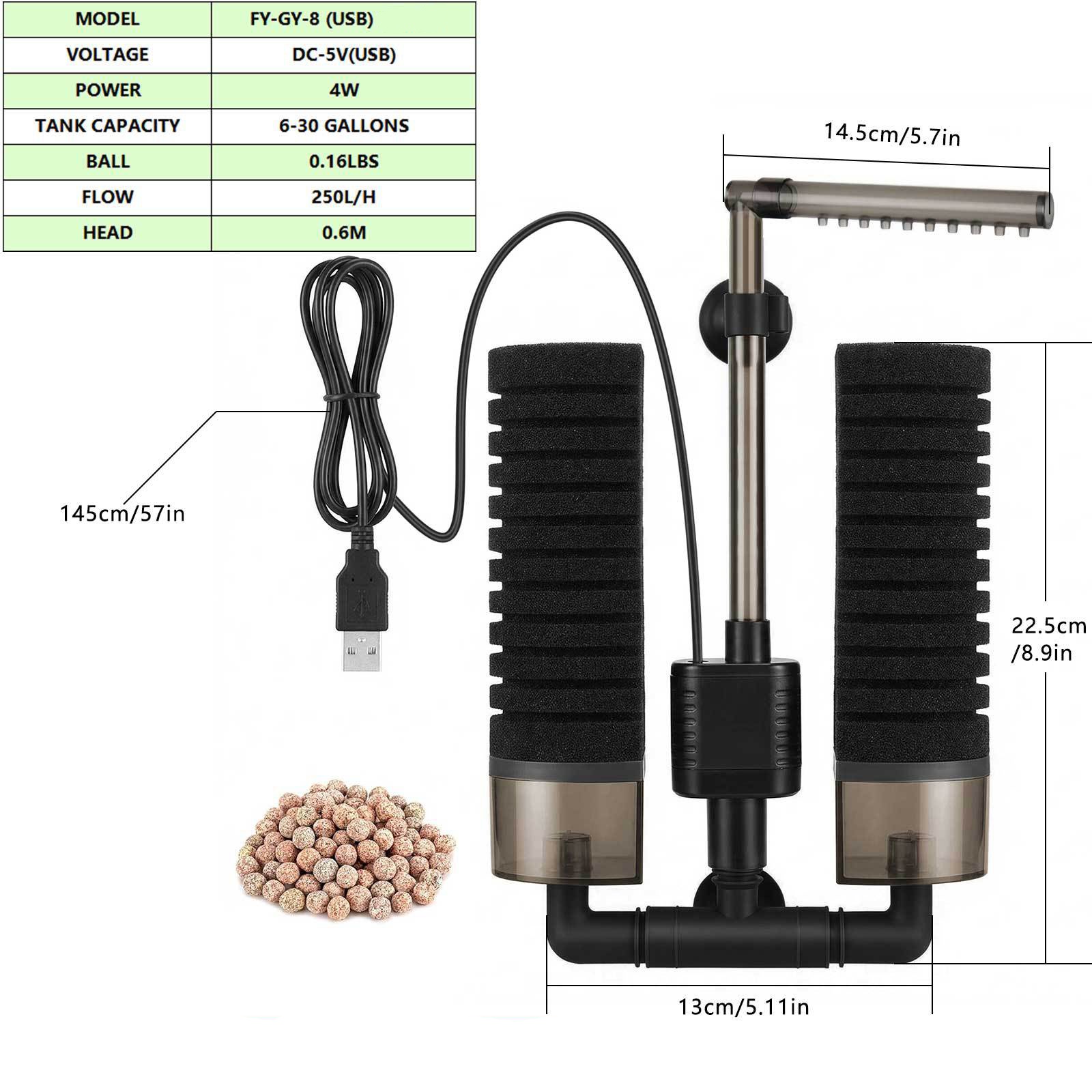
Dimensions230 × 120 × 65 mm
Color

Black

Size

A, B

Compatibility & Fit

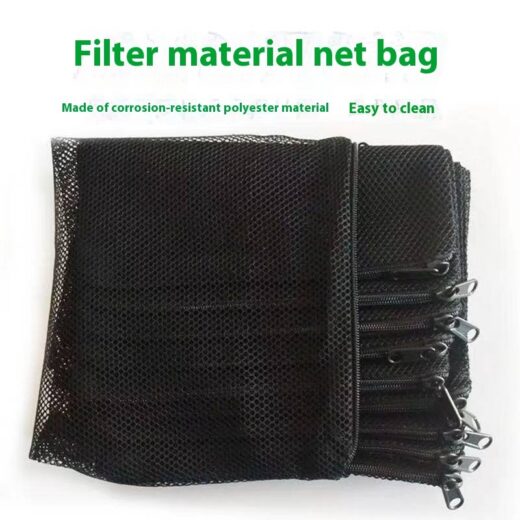
For freshwater or saltwater use as listed; choose size A or B. USB-powered and supplied with one bag of ceramic media; confirm tank capacity and flow before purchase.

Reviews

There are no reviews yet.

Be the first to review “USB Aquarium Sponge Filter with Ceramic Media – Fresh/Saltwater”

Your email address will not be published. Required fields are marked *